Yellow Gloves Cleaning Time Clock SMS program · Last updated October 24, 2026
Yellow Gloves Cleaning employees clock in and out of job sites by text message. This page describes how employees join the program and what messages they receive. The program is only for Yellow Gloves Cleaning employees. We never send marketing messages.
How employees opt in
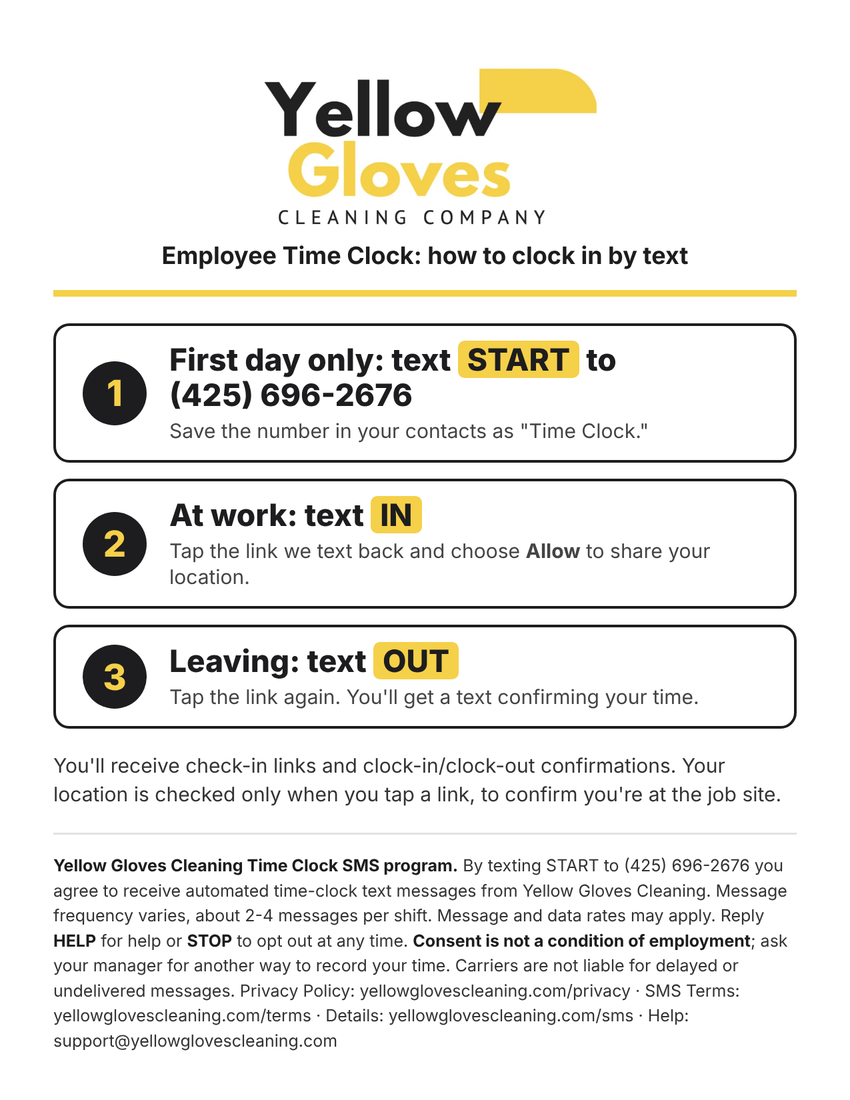
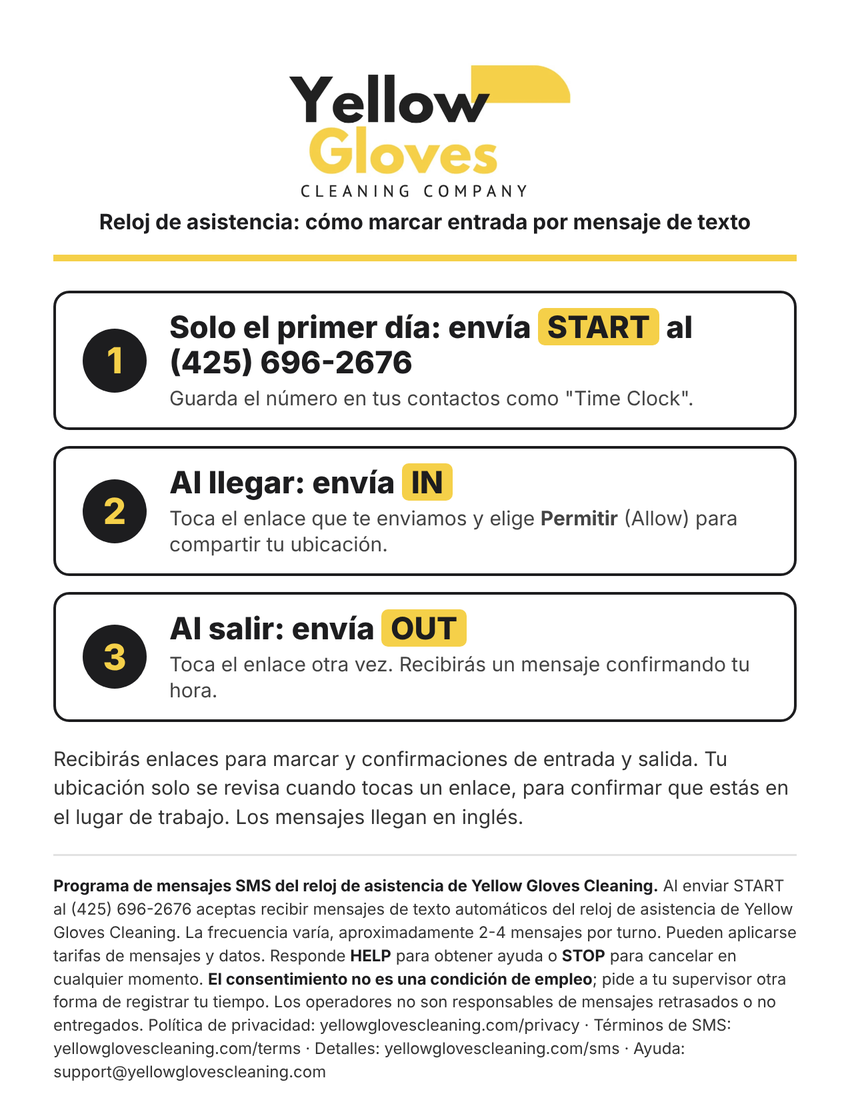
On their first day, every new employee receives the onboarding card shown below. The same instructions are posted on a sign at our office. To join, the employee texts the keyword START to (425) 696-2676.
Yellow Gloves Cleaning Time Clock: By texting START to (425) 696-2676, you agree to receive automated time-clock text messages from Yellow Gloves Cleaning, including check-in links and clock-in and clock-out confirmations. Message frequency varies, about 2-4 messages per shift. Message and data rates may apply. Reply HELP for help or STOP to opt out at any time. Consent is not a condition of employment. See our Privacy Policy and SMS Terms.
Confirmation message employees receive after texting START
Yellow Gloves Cleaning Time Clock: You're subscribed. Text IN when you arrive and OUT when you leave. About 2-4 msgs per shift. Msg & data rates may apply. Reply HELP for help, STOP to opt out.
How it works each shift
At the job site, the employee texts IN to (425) 696-2676.
We reply with a one-time check-in link. Tapping it asks the phone to share its location once, to confirm the employee is at the job site.
We text a confirmation of the clock-in time.
When leaving, the employee texts OUT and follows the same steps.
Sample messages
Yellow Gloves Cleaning Time Clock: Tap to clock IN (link works for 10 min): [check-in link]
Yellow Gloves Cleaning Time Clock: Maria, you are clocked IN at 8:02 AM (Tyee).
Opting out and getting help
Reply STOP at any time to stop receiving messages. You'll receive one final confirmation. Reply START to rejoin. Reply HELP or email support@yellowglovescleaning.com for help. Employees who don't opt in can ask their manager for another way to record their time.
Onboarding card and office sign
English card (also posted at our office)Spanish card